VideoGPT - AI Video Generator
- 4.5
- Rating
- 1.00M
- Installs
- Free
- Price

 Analysis by App-foxy
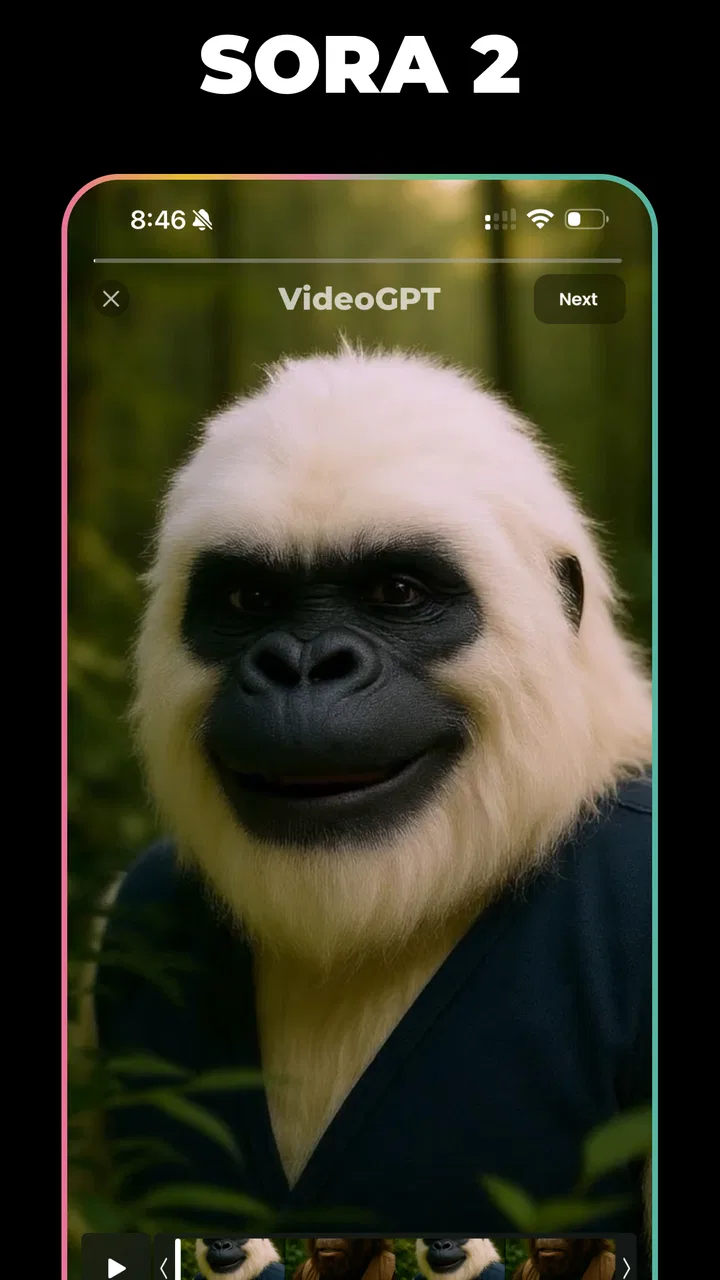
I tried VideoGPT - AI Video Generator as an AI-focused video app rather than a conventional editor, and that distinction matters from the first launch. It is aimed at turning an idea into video with help from Sora 2, while its store short description presents it simply as “VideoGPT.” That makes it appealing when I want to explore a visual concept quickly instead of building a project clip by clip on a timeline.
The app sits in the Video Players & Editors category, but I would not compare it too closely with a traditional player or a full desktop-style editor. Its real appeal is the generative workflow: I start with a description, see what the system produces, and then decide whether the result is useful enough to keep, refine, or use as a starting point. In my experience, that is a very different rhythm from trimming footage I already recorded.
It is free to install, which makes experimenting relatively easy. The app has a Teen content rating, runs on operating system version 9 or later, and is developed by ElevenThirteen. The current version is 4.12, so compatibility is broad enough for many older devices, although the experience of generating video can still depend heavily on the phone itself and the quality of the connection.
You May Also Like

 Blood Strike: 2.5 Anniversary
Blood Strike’s Loadouts Turn Every Drop Into a Tactical Gamble
A close look at Blood Strike’s custom loadouts: how fast access to signature weapons reshapes its battle royale rhythm, rewards preparation, and narrows the gap between fights.

 Pandora - Music & Podcasts
Pandora’s Music Is Easy to Start, but Harder to Recover
Pandora’s strength is its low-effort path from a seed to a station. Its weak spot is how much confidence it asks you to place in connection, setup, and quiet recovery.

 8 Ball Pool
 Is Built on Rivalries, Rematches, and Routine
A close look at the rivalries, rematches, shared routines, and unanswered safety questions that turn a quick pool match into a persistent mobile community.

 Samsung Music
’s Quiet Strength Is Playing What You Already Own
Its reach comes less from spectacle than from dependable access to a personal library. That simplicity is both the app’s strongest retention engine and its ceiling.

 AccuWeather: Weather Radar
AccuWeather Review: A Quick, Clear Forecast for Everyday Decisions
For everyday plans, the best forecast is the one you can understand quickly. AccuWeather makes rain timing, radar, and local conditions easy to act on, with a few trade-offs.

 Hill Climb Racing
Why Hill Climb Racing Still Turns Crashes Into One More Run
A tiny car, a bumpy hill and one more upgrade: Hill Climb Racing keeps resurfacing because its simple chaos makes every near-miss feel personal.
More From Our News Desk
View All News


How VideoGPT fits into real video-making
The most useful way to think about this app is as an idea-to-video tool. I would open it when I have a scene in mind but no footage, when I need a visual draft for a social post, or when I want to test whether a concept works before spending time filming and editing. It is less convincing as a replacement for every part of a normal video workflow.
For example, imagine I am preparing a short presentation about a local event. I may want an atmospheric opening shot, but I do not have suitable footage. A text-driven generator can help me explore possibilities: a crowded evening street, a close-up of lights, or a stylized transition between locations. Even if the first result is not ready to publish, it can reveal which visual direction feels right.
That is one of the app’s less obvious strengths. Generated video is not only an end product; it can function as a visual sketchbook. I can use it to compare moods before committing to a storyboard. This saves creative time, especially when the problem is not editing skill but uncertainty about what the finished piece should look like.
I also found that prompt wording becomes part of the editing process. A vague request may produce something visually interesting but difficult to use. A more deliberate prompt should identify the subject, setting, movement, atmosphere, and intended format in ordinary language. I would begin with one clear scene rather than packing an entire story into one request.
Prompting is the real learning curve
The app’s “VideoGPT” identity sounds simple, but good results still require judgment. I would describe the action first, then add the visual character. For instance, instead of asking for “a dramatic city video,” I would specify a slow camera movement through a rainy street at night, with reflections on the pavement and a calm cinematic mood. This does not guarantee a perfect result, but it gives the generator a more useful creative brief.
A practical technique is to change only one important element between attempts. If I alter the subject, camera movement, color, and setting at the same time, I cannot tell what improved the result. Keeping most of the prompt stable lets me compare variations more intelligently. This is especially helpful when I am trying to create a consistent sequence rather than a single isolated shot.
I would also avoid treating generated footage as automatically final. AI video can be excellent for atmosphere and concept development, but small visual inconsistencies may become obvious when a clip is placed beside real footage. For a polished project, I would inspect every result carefully and use a conventional editor afterward if I need precise timing, captions, music, transitions, or a reliable sequence.
Where the free access helps, and where paid value matters
The free installation is a genuine advantage for curious users. I can find out whether this style of creation suits me without paying before I understand the workflow. That is more useful than a locked preview because the main question is not simply whether the app can generate video; it is whether its results fit my own ideas and tolerance for experimentation.
There are in-app purchases ranging from $2.99 to $189.99 per item. I would treat that range as a reason to examine the purchase screen carefully before committing. The free entry point is good for testing, while the value of paid access depends on how often I generate videos and how much I value faster or broader access within the app. I would not assume that paying automatically turns every output into professional footage.
For occasional users, the free experience may be enough to create a few concepts or learn whether AI-generated video belongs in their workflow. For frequent creators, paid access could make more sense if the app’s available purchase options match their usage. The important distinction is that I am paying for access to a generative process, not buying a guaranteed finished production.
That difference affects budgeting. With a conventional editor, I may pay for editing tools and then work with footage I already own. Here, the creative output itself is part of the experiment. I would set a small personal limit, test the free route first, and only consider a purchase after I know what kind of clips I actually need. This is a better value check than judging the app from one impressive sample.
The tradeoffs I noticed in an AI-first workflow
The biggest tradeoff is control. A timeline editor gives me direct authority over each cut, frame, layer, and transition. VideoGPT is more interpretive: I describe an intention and evaluate what comes back. That can feel wonderfully fast when I want inspiration, but frustrating when I need a precisely repeatable shot.
Consistency is another concern. If a project requires the same character, object, or location to remain stable across several scenes, I would be cautious. A single striking clip may be easy to appreciate on its own, while a sequence can expose differences that make the story feel disconnected. For that reason, I see the app as particularly strong for standalone moments, mood pieces, concept previews, and visual inserts.
There is also a difference between visual novelty and practical usefulness. A generated clip can look imaginative but still fail to communicate the message of a product, lesson, or announcement. I would always ask whether the video helps the viewer understand something. If it only looks unusual, a simpler recorded clip or a clean motion graphic may serve the audience better.
Another limitation is the need for patience. Generative tools encourage repeated attempts, and that can quietly turn a “quick” idea into a long selection process. I would decide in advance what success means: perhaps a usable background, a ten-second mood shot, or three visual directions for a pitch. Without that boundary, it is easy to keep generating without improving the actual project.
How it compares with familiar alternatives
Compared with a standard mobile editor, VideoGPT is better when I lack source footage or want to explore an unusual scene. A conventional editor is better when I already have videos and need exact trimming, audio alignment, subtitles, color adjustments, or a dependable final assembly. These tools solve different problems, so choosing between them depends on where I am stuck.
Compared with filming on a phone, the app offers imagination without a location, cast, props, or camera setup. That is useful for abstract visuals and situations that would be expensive or impossible to record. The tradeoff is authenticity: real footage carries natural detail and continuity that generated material may not reproduce consistently.
Compared with template-based video apps, this app is more open-ended. Templates help me produce a familiar social format quickly, while text-driven generation gives me more room to invent a scene. I would choose a template tool when speed, branding, and predictable layout matter most. I would choose VideoGPT when the main challenge is imagining the visual itself.
Compared with a professional computer editor, the app is more approachable for experimentation but less suitable for detailed finishing. I would not replace a serious post-production workflow with it if my project depends on exact control. Instead, I would use it upstream: generate ideas or clips on the phone, then finish the strongest material elsewhere when precision matters.
Who is most likely to get real value
I think the best audience is made up of curious creators, short-form video makers, students developing visual concepts, and people who want to turn written ideas into something they can see. It can also help someone who is blocked at the storyboard stage. Seeing a rough visual often makes it easier to decide what should happen next.
It may be particularly useful for a solo creator who cannot film every type of scene. A travel storyteller, for example, might use it to create an opening image for a destination video before adding personal footage. A teacher might use a generated visual to introduce a topic, then explain the real subject with slides or recorded material. In both cases, the app contributes an element rather than carrying the entire production.
I would recommend a cautious approach for business use. If the video represents a brand, I would review every frame and avoid publishing automatically generated material without checking whether it communicates the intended message. The app can accelerate ideation, but human review remains important when accuracy, identity, or public trust is involved.
I would skip it if my main need is simply to cut clips, add music, place text, or export a straightforward social video. A familiar editor is likely to feel faster and less distracting for that job. I would also skip it if I need strict continuity across many shots or if I dislike the trial-and-error nature of generative tools.
What I would check before spending money
Before using any paid option, I would first make a small test project with a clear goal. I would try a simple scene, a more detailed scene, and a variation that requires a specific mood. Then I would ask whether the results are genuinely useful to me, rather than merely entertaining. This separates creative curiosity from a workflow I will actually return to.
I would also consider how much finishing work remains. If every generated clip needs extensive correction or replacement, the purchase may not save time. If the app consistently gives me strong starting points that I can use in a larger project, the value becomes easier to justify. The right question is not “Does AI make video?” but “Does this app reduce the part of video-making that slows me down?”
Because the purchase range is wide, I would read the exact terms shown inside the app and confirm what each option provides before selecting one. I would not buy the most expensive choice simply because it appears to offer more access. My own usage pattern would determine the sensible level: occasional experimentation calls for restraint, while regular production may justify a larger commitment if the results hold up.
My verdict after using it as a creative tool
VideoGPT - AI Video Generator is most convincing as a fast visual ideation companion. Its Sora 2-powered positioning gives it a clear identity, and the free installation makes it approachable for anyone who wants to test AI video without beginning with a large commitment. Its audience has already grown to over a million installs, with an average rating of 4.5 from around 61 thousand ratings, which suggests broad interest without removing the need for personal testing.
I would recommend it to someone who wants to turn descriptions into visual experiments, create atmospheric inserts, or overcome a blank storyboard. I would not recommend it as a universal replacement for a conventional editor, a camera, or professional finishing software. The strongest results come when I give it a focused role and judge its output critically.
My buy-or-skip decision is therefore straightforward. Install it if you are curious about AI-generated video and have a real creative use case to test. Stay with the free route until you understand your workflow, then consider paid access only if repeated use saves you meaningful effort. Skip it if you need exact editing control, dependable continuity, or a simple tool for assembling footage you already have.
For me, the app’s value is not that it removes every difficult part of video creation. It changes the first step: instead of waiting for the perfect footage, I can begin with a written idea and see whether it has visual potential. Used with that expectation, it is a genuinely useful addition to a mobile creator’s toolkit rather than a replacement for every tool that comes after it.
FAQs for VideoGPT - AI Video Generator
01What is VideoGPT - AI Video Generator?
VideoGPT - AI Video Generator is an innovative app that uses advanced AI technology to help users create high-quality videos with ease. By leveraging GPT models, it automates video editing processes, making it accessible for beginners and efficient for professionals. The app is available for both Android and iOS platforms.
02How does VideoGPT enhance video editing?
VideoGPT enhances video editing by utilizing AI to automate complex editing tasks. It offers features such as automatic scene detection, voice-over generation, and style recommendations. This allows users to produce professional-quality videos without extensive editing knowledge or time-consuming manual work.
03Is VideoGPT suitable for beginners in video editing?
Yes, VideoGPT is designed to be user-friendly, making it ideal for beginners. The app's intuitive interface and automated features guide users through the video creation process. With easy-to-use tools and AI-driven suggestions, even those new to video editing can create impressive content effortlessly.
04What are the system requirements for VideoGPT?
To run VideoGPT smoothly, users need a device with at least Android 8.0 or iOS 12.0. The app requires a minimum of 2GB RAM and sufficient storage space for handling video files. A stable internet connection is also recommended for downloading updates and accessing cloud-based features.
05Are there any in-app purchases or subscriptions in VideoGPT?
VideoGPT offers a freemium model, where users can access basic features for free. For advanced capabilities, such as premium templates and enhanced AI tools, in-app purchases or a subscription may be required. These options provide additional value and flexibility depending on user needs.
Pros
- Intuitive user interface for easy navigation.
- Generates high-quality videos quickly.
- Offers a variety of templates.
- Includes AI-driven editing features.
- Compatible with both Android and iOS.
Cons
- Requires a stable internet connection.
- Limited free version features.
- Occasional glitches in video rendering.
- In-app purchases can be pricey.
- Heavy on device storage.

VideoGPT - AI Video Generator
Gallery